

Trend Micro Integrated Data Loss Prevention (iDLP)
Protect Your Data
Overview:
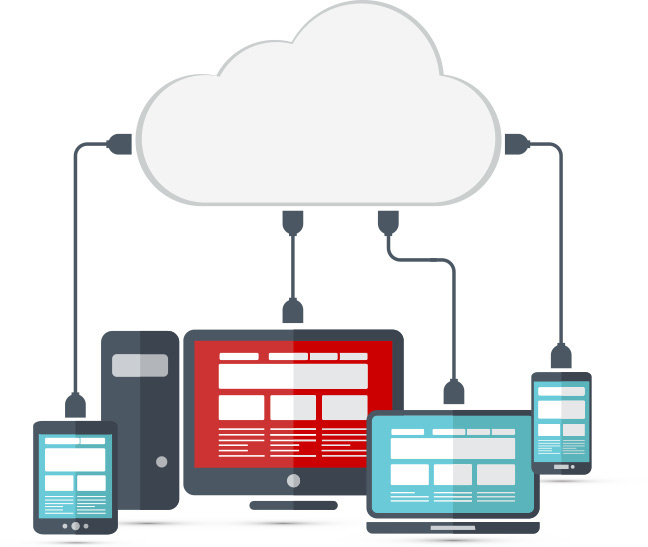
Now more than ever, your data is on the move—whether it’s on a laptop, flash drive, or moving across physical, virtual, and cloud infrastructures. At any point along the way, your financial data, customer information, intellectual property, or trade secrets could be lost or stolen. Securing this data is further complicated by several growing risk factors:
- Rapidly evolving compliance regulations and mandates
- Continued growth of workforce mobility
- Employees using their own mobile devices and consumer apps for work
- Rising frequency of advanced persistent threats (APTs) and data breach incidents
To avoid the embarrassment, reputation damage, regulatory fines, and revenue loss, today’s enterprise must be able to identify, track, and secure all confidential data from multiple points within the organization without impacting employee productivity and performance. In the past, many organizations tried traditional data loss prevention (DLP) solutions but found they were too intrusive, too complex to manage, and too costly to acquire, deploy, and maintain.
Reduce the Cost and Complexity of DLP
Trend Micro™ Integrated DLP minimizes the complexity and cost of data security by integrating DLP functionality directly into your existing Trend Micro solutions and management consoles. With a lightweight plug-in, you can quickly and easily gain visibility and control of your sensitive data and prevent data loss via USB, email and web. The DLP plug-in requires no extra hardware or software, and it leverages built-in regional and industry-specific templates to simplify deployment. Integrated DLP allows you to deploy data security for a fraction of the cost and time of traditional enterprise DLP solutions.
Advantages of Integrated DLP
Protect your data—today
Deploy DLP immediately and gain visibility and control of your data right away
Lower DLP costs
Save on deployment and maintenance costs compared to traditional DLP
Protect privacy
Identify, monitor, and prevent data loss— on or off network
Comply with regulations
Implement controls for protection, visibility, and enforcement
Educate users
Notify employees of risky behavior or enforce user controls if necessary
Solutions:
Integrated DLP allows you to deploy data security for a fraction of the cost and time of traditional enterprise DLP solutions.
Integrated DLP on Endpoints
Strengthens Data Protection and Control
- Offers granular device control, including the ability to create specific rules based on vendor and serial number of the device
- Empowers IT to restrict the use of USB drives, USB attached mobile devices, CD/ DVD writers, and other removable media
- Detects and reacts to improper data use based on keywords, regular expressions and file attributes
- Educates employees on corporate data usage policies through alerts, blocking or soft-blocking and reporting
Supports Compliance
- Simplifies regulatory compliance with out-of-the-box compliance templates
- Speeds audits and enforcement with forensic data capture and real-time reporting
Streamlines Administration, Lowers Costs
- Simplifies deployment and maintenance with a lightweight DLP plug-in
- Improves visibility and control with a fullyintegrated, centrally-managed solution
- Reduces resource demand and performance impact with a single agent for endpoint security, device control and content DLP
Integrated DLP on Network Gateways
Strengthens Data Protection and Control
- Inspects your network 24x7 with real-time monitoring
- Tracks and documents sensitive data flowing through network egress points
- Identifies risky business processes and improves corporate data usage policies
- Detects and reacts to improper data use based on keywords, regular expressions and file attributes
Supports Compliance
- Aids in compliance with out-of-the box compliance templates
- Speeds audits and enforcement with forensic data capture and real-time reporting
Streamlines Administration, Lowers Costs
- Simplifies deployment with a DLP plug-in, requiring no additional hardware or software
- Improves visibility and control with a fullyintegrated, centrally-managed solution
- Automates response to policy violations with options to log, bypass, block, encrypt, alert, modify, quarantine, or delete data
Central Point of Visibility and Control
Trend Micro Control Manager™ provides a convenient centralized security management console that consolidates policy, events and reporting across multiple iDLP solutions. This powerful security management tool lowers costs by simplifying security management, providing enterprise-wide visibility into managed products down to the individual user level. Control Manager also includes access to threat statistics from the Trend Micro Smart Protection Network™ cloud-based security infrastructure. Administrators gain insight into both the global threat landscape and the protective power of Trend Micro security in their own environment.
Protect Data at Rest, in Use, and in Motion
Data at rest with wide coverage of file types
Trend Micro Integrated DLP can recognize and process over three hundred file types including most email and office productivity applications, programming languages, graphics, engineering files, and compressed or archived files. Discovery capabilities scan the endpoint, file server, mail store, or SharePoint repository to see where compliance data is located.
Data in motion control points
Integrated DLP gives you visibility and control of data in motion—whether it’s in email, webmail, instant messaging, and most networking protocols such as FTP, HTTP/ HTTPS, and SMTP
Data in use control points
Integrated DLP provides visibility and control of data that’s being used in USB ports, CDs, DVDs, COM & LPT ports, removable disks, floppy, infrared and imaging devices, PCMCIA, and modems. It can also be configured to monitor copy and paste and print screens.
Simplify DLP with Policy Templates
To help you quickly deploy data protection, Trend Micro Integrated DLP ships with wide range out-of-the-box templates, including (but not limited to):
PCI/DSS—International standard for data security for credit cards. Any company accepting credit cards are bound by these rules.
HIPAA—The Health Insurance Portability and Accountability Act sets standards for any healthcare organization in the US.
GLBA—Gramm Leach Bliley Act—Also known as the Financial Services Modernization Act, sets privacy regulations for banking, insurance, and investment companies.
SB-1386—Refers to state data breach laws. This particular law conforms to the California law which is the standard for most other U.S. states.
US PII—Refers to personally identifiable information for US. This is a general catch-all for U.S. organizations concerned with protecting customer and employee data.
Data Identifiers
In addition to templates, Trend Micro Integrated DLP includes a granular list of truly international identifiers to identify specific data by patterns, formulas, positioning, and more. Identifiers can also be created from scratch.
Complete User Protection
Integrated Data Loss Prevention is part of Trend Micro Complete User Protection, a multi-layer solution that provides the broadest range of interconnected threat and data protection across endpoints, email and collaboration, web, and mobile devices.
Integrated DLP (iDLP) is available with these Trend Micro endpoint, messaging, and network security solutions:
- OfficeScan
- ScanMail for Microsoft Exchange
- ScanMail for Lotus Domino
- InterScan Messaging Security
- InterScan Web Security
- IM Security for Microsoft™ Lync
- PortalProtect for Microsoft SharePoint
DLP policies and reporting are managed through the administrative console of the host application. In cases where more than one iDLP solution is deployed, policies and reporting can be consolidated to a single console through the Trend Micro Control Manager™.
Documentation:
Download the Trend Defend Integrated Data Loss Prevention Datasheet (PDF).